![Katmai-Main-Logo-Horizontal.png]](https://katmaitech.com/hs-fs/hubfs/migration/brand/Katmai-Main-Logo-Horizontal.png?height=27&name=Katmai-Main-Logo-Horizontal.png)
Katmai works with desktop transcription tools to capture both your voice and everything happening inside your environment -- just start your session and activate your favorite transcription tool.
We recommend one of these:
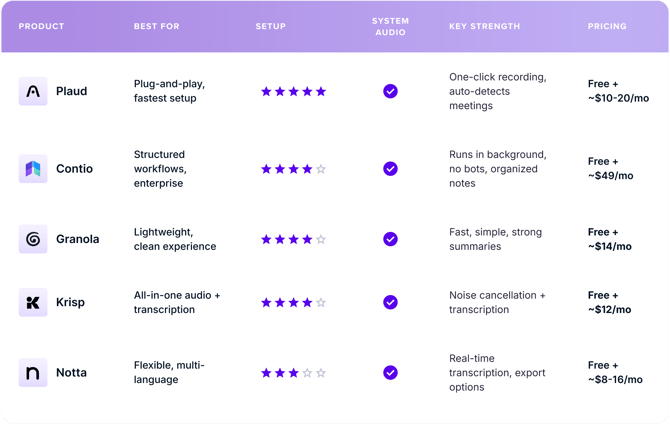
These tools run on your computer and capture system audio, meaning they transcribe exactly what you hear in Katmai, whether it’s:
- a 1:1
- a team session
- or a presentation in Mini Theatre
How to Get Set Up
- Install a transcription app (consider starting with Plaud)
- Open Katmai as usual
- Enable system audio in the app
- Click Record when your session starts
- Export or use your transcript in your workflow
That’s it.
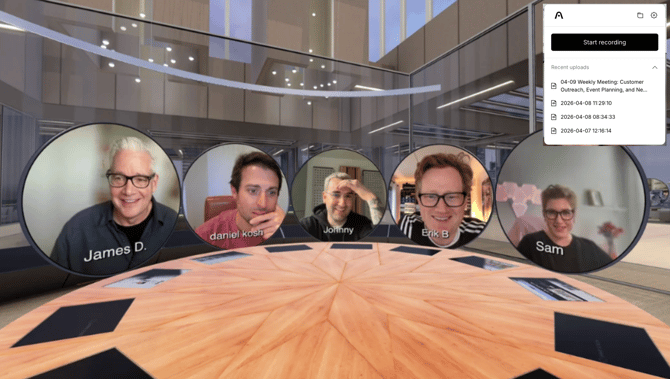
NOTE: Native AI transcription is in development and coming soon.