![Katmai-Main-Logo-Horizontal.png]](https://katmaitech.com/hs-fs/hubfs/migration/brand/Katmai-Main-Logo-Horizontal.png?height=27&name=Katmai-Main-Logo-Horizontal.png)
Whether you are using headphones or your computer's built-in speakers, setting up your audio correctly ensures you can hear everything clearly and participate seamlessly.
Choosing the Right Equipment
Katmai uses Spatial Audio to mimic real life. If a coworker is speaking on your left, you will hear them more prominently through your left headphone.
-
Wired Headphones (Recommended): Wired headphones are preferred because they allow you to experience the full range of spatial audio.
-
Bluetooth Headphones: If you use Bluetooth headphones, we recommend that you connect your headphones before entering Katmai. Changing Bluetooth settings while in your space can cause audio errors.
-
Computer Speakers: Speakers transmit sound effectively and don't mess up your hair, though spatial audio is not as appreciable.
Setup Before Entering (The A/V Setup Menu)
Before joining a space, you can test your equipment to ensure everything is working.
-
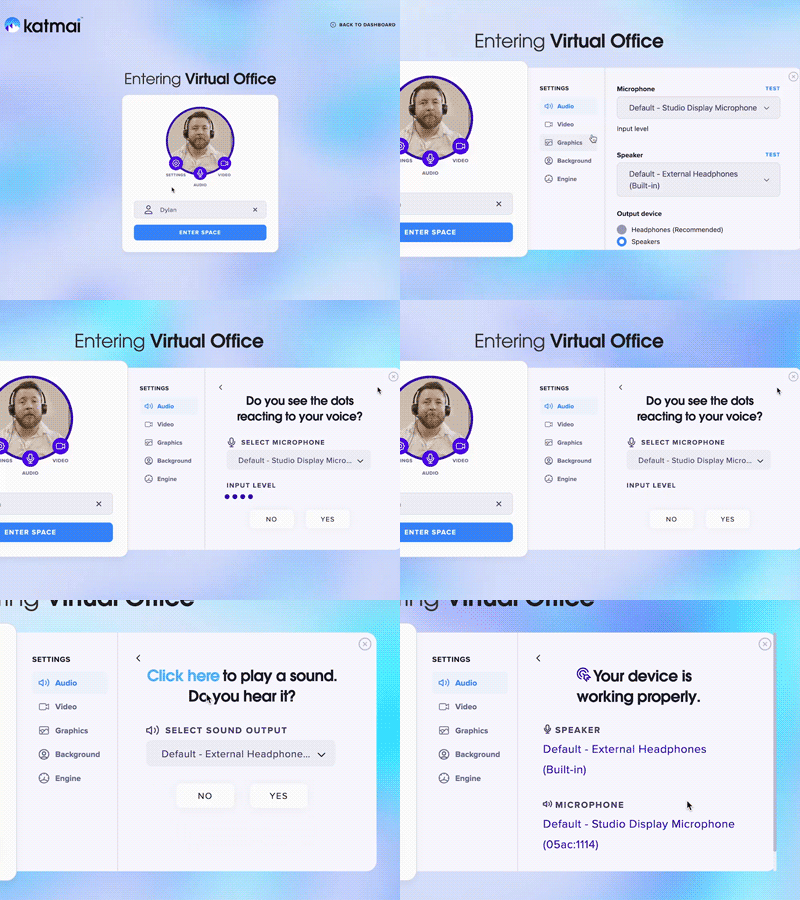
At the sign-in screen where you enter your name, click "settings" and select audio.
-
Next to the microphone, there is a "Test" button, same for the speakers.
-
Speak to test your microphone, and click the test button to ensure you can hear the speaker chime.
Adjusting While Inside (In-Game Settings)
If you are already inside the virtual office and need to switch your microphone or headphones, you can do so without leaving.
-
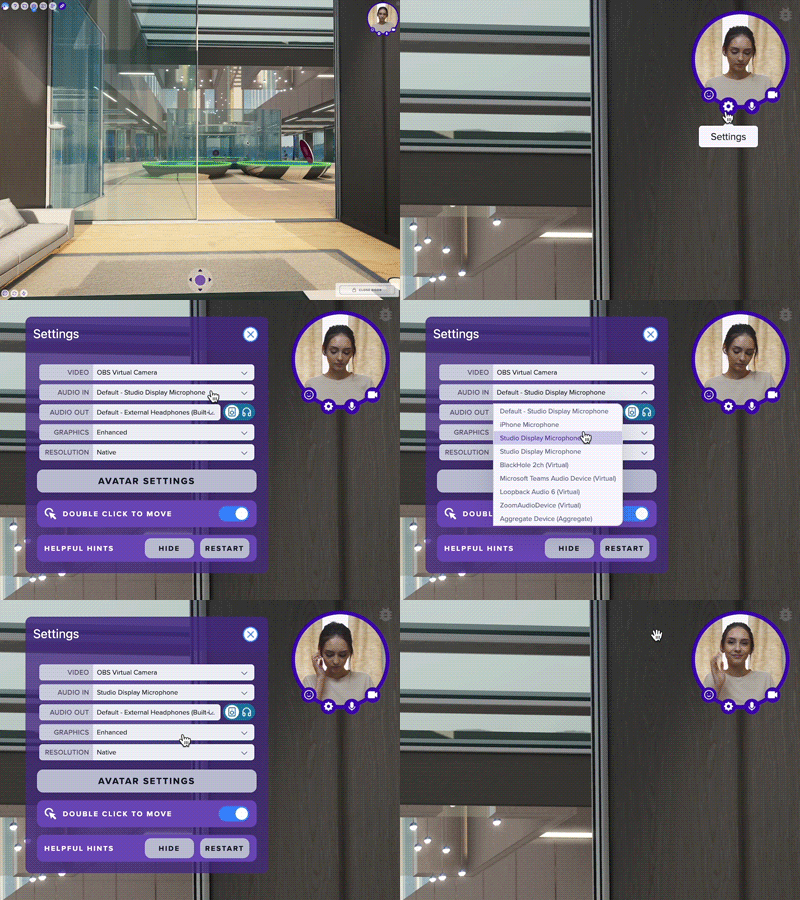
Click on the cog icon located on your self-view in the upper right corner.
-
If your computer has multiple audio input options, these will be available for selection in the Audio In dropdown menu.
-
If your computer has multiple audio output options, they will be available for selection in the Audio Out dropdown menu.