![Katmai-Main-Logo-Horizontal.png]](https://katmaitech.com/hs-fs/hubfs/migration/brand/Katmai-Main-Logo-Horizontal.png?height=27&name=Katmai-Main-Logo-Horizontal.png)
Katmai is designed as a desktop-first experience, but when you’re away from your computer, you can still join Katmai from your phone.
On mobile, you can choose between 2D Video Conference, Audio Only, and 3D Mode.
Joining a meeting from your phoneThe easiest way to join a specific Katmai meeting on mobile is through the Link to Me of someone participating in the meeting.
- Long press the Link to Me link on your phone.
- Select Open in Browser.
- Katmai will launch and prompt you to select how you’d like to join.
- Choose 2D Video Conference, Audio Only, or 3D Mode.
For meeting hosts: If someone will be joining from mobile, we recommend including your Link to Me directly in the calendar invitation.
2D Video Conference2D Video Conference provides a familiar video meeting experience optimized for your phone.
You can:
- See the other participants
- View screen shares
- Use your camera and microphone
- Participate normally in the conversation
Colleagues joining from their computers remain in the full Katmai 3D experience and will see you as an avatar in the room as usual.
Audio OnlyAudio Only is designed for situations where you need to participate without actively using your screen — for example, while walking, commuting, or keeping your phone in your pocket.
You can listen and participate using your phone’s microphone without video.
If driving, select Audio Only before you begin driving and don't interact with your phone while the vehicle is moving.
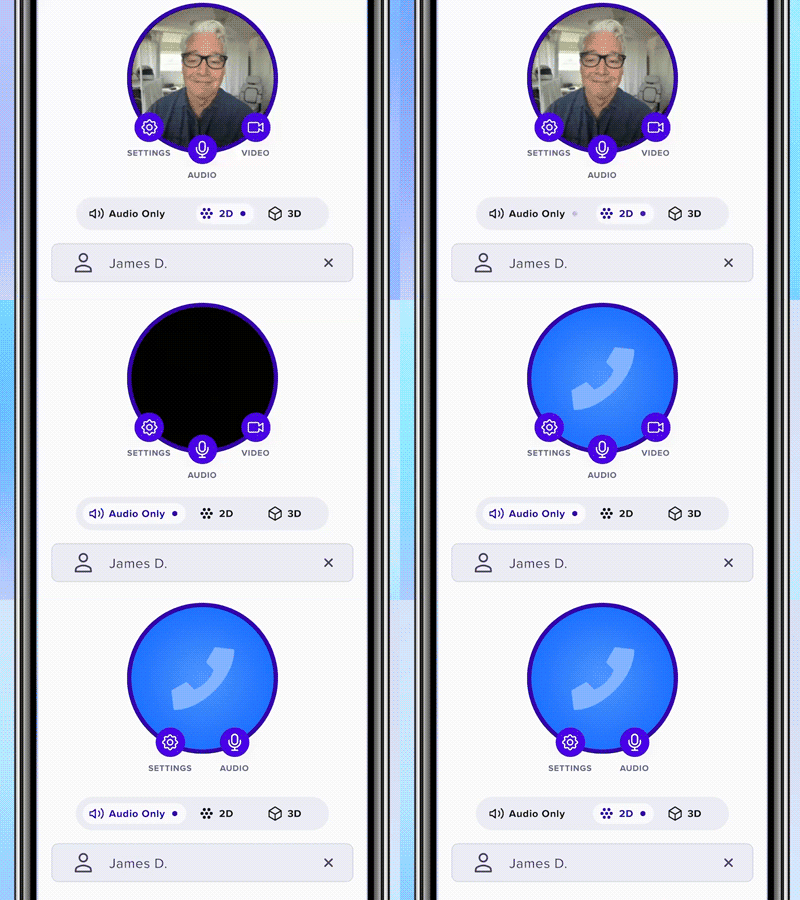
You can switch between 2D Video Conference and Audio Only at any time during a meeting without leaving and rejoining.
For example, you might start a meeting on video, switch to Audio Only while you're on the move, and return to video when you're able to use your screen again.
3D Mode on mobileYou can also access Katmai’s 3D environment from your mobile device.
The mobile 3D experience is available when you need it, but it is not intended to replace the richer experience of using Katmai on a computer.
For everyday work in your Katmai office, we recommend using a computer. Mobile is designed to give you flexibility when you’re away from it and need to join a meeting.