
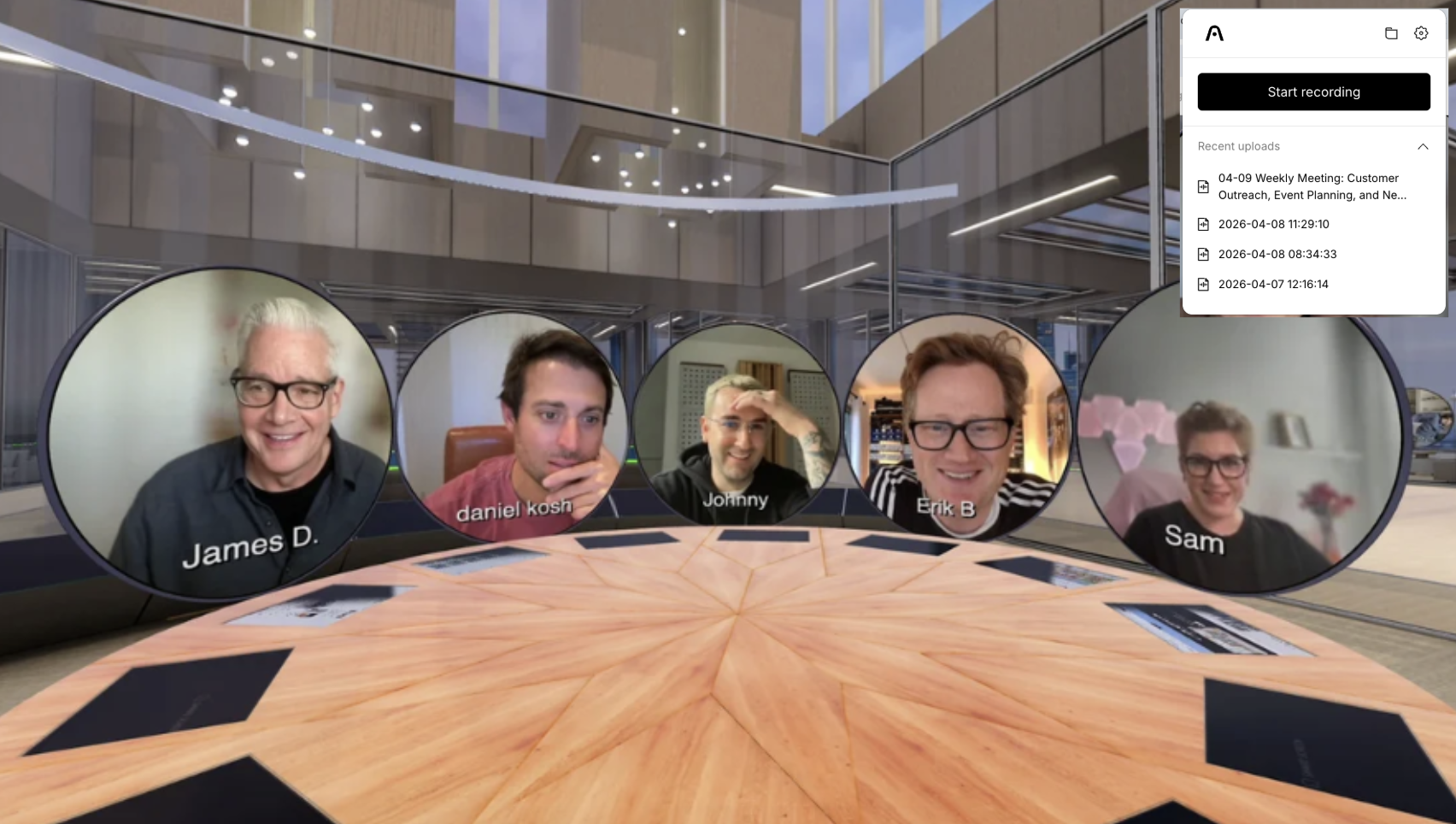

We’ve heard it consistently:
“Can I transcribe meetings in Katmai?”
The answer is simple:
"Yes, and it works seamlessly."
What's new
Katmai now works with a new class of desktop transcription tools that capture both your voice and everything happening inside your environment.
No bots
No calendar dependencies
No friction
Just start your session and turn on transcription.
How It Works
These tools run on your computer and capture system audio, meaning they transcribe exactly what you hear in Katmai, whether it’s:
- a 1:1
- a team session
- or a presentation in Mini Theatre
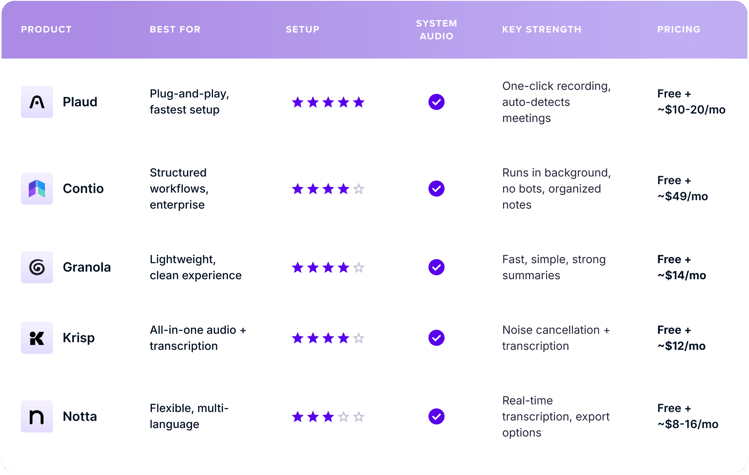
Tools That Work Well
How to Get Set Up (2 minutes)
- Install a transcription app (we recommend starting with Plaud)
- Open Katmai as usual
- Enable system audio in the app
- Click Record when your session starts
- Export or use your transcript in your workflow
That’s it.
Why This Matters
Katmai is built for real-time interaction, not rigid meetings.
These tools match that:
- capture conversations naturally
- don’t interrupt the experience
- plug into your existing tools
Fits Your Workflow
Use transcripts in:
- Google Drive
- Notion
- HubSpot
- internal systems
Nothing changes, you just gain visibility.
What's Next
Native AI transcription is in development and coming soon.
But starting today, you don’t need to wait.
Bottom Line
Transcription in Katmai is ready to use.
Simple, flexible, and built to work the way you already do.
Talk soon,
Dan